

Technology & AI

Radzivon Alkhovik
·
Updated on
One hour of recorded meeting is a minimum of two hours for listening and note-taking. Then another hour searching for the needed moment. Business loses money on routine that AI can do long ago.
We tested 10 services on real recordings: business meetings, interviews, podcasts, recordings with poor sound. Processed over 150 hours of material. Found that most Western services poorly understand Russian language and Russian business specifics. In this review—honest comparison of platforms for converting audio to text, for meeting transcription, for creating transcripts and for automatic speech recognition.
Services for Audio-to-Text Extraction and Meeting Transcription
Choosing service for audio-to-text conversion depends on language, recording quality, work volumes and additional features. Some platforms are optimal for corporate meetings and dialogue transcription, others for podcasts and interviews, third for working with material archives and creating transcripts. We looked at Russian speech recognition accuracy when converting audio to text, processing speed, integration convenience with popular services. Here are test results of best services for extracting text from audio.
1. mymeet.ai — Complete Control Over Meetings and Documentation
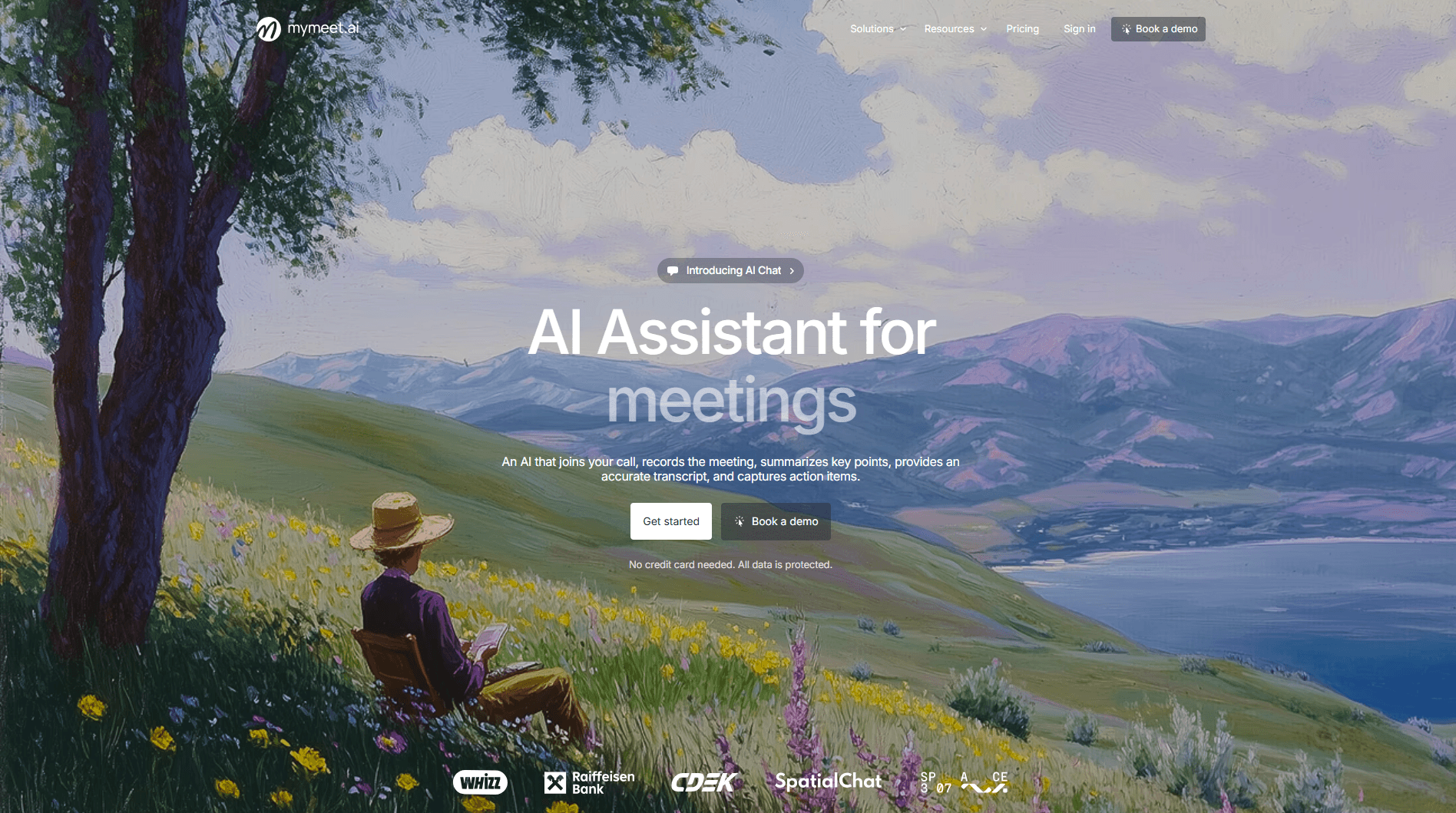
mymeet.ai ranks first in real tests for Russian speech accuracy and functionality when converting audio to text. This is a complete AI assistant for meetings that analyzes content and helps find information without re-reading hour-long transcriptions. The system for extracting text from audio works better than all competitors in the Russian language. Moreover, it works not only with audio but also with video files—uploading meeting videos and the system automatically extracts text from video.
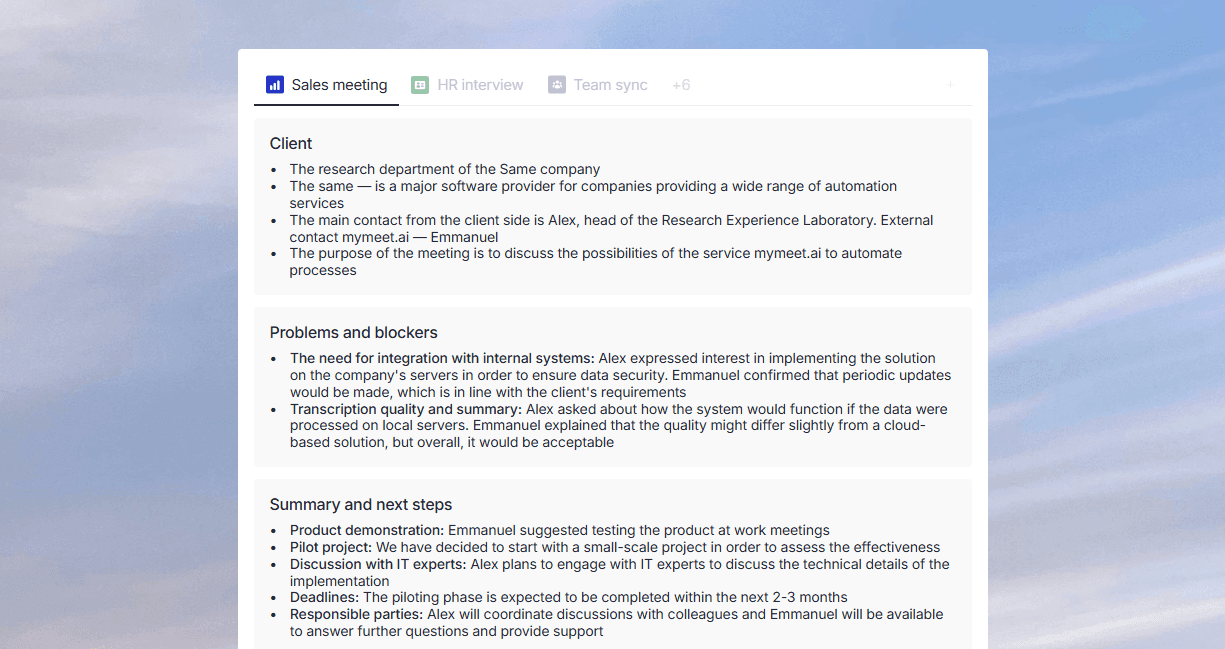
Russian speech recognition accuracy—96-98% on clean recordings. Best result among all tested. The system understands business context: "force majeure," "sales funnel," "KPI" recognizes without errors. One hour meeting processed in 5 minutes, eight-hour video course in 40 minutes. This is one of the fastest services for converting audio to text.
Key Features:
96-98% Russian speech accuracy when transcribing audio and extracting text from video
Built-in media player for playing audio and video with text synchronization
Works with audio files and video files—extracts text from video meetings and audio recordings
Automatic task highlighting with owners and deadlines when transcribing meetings
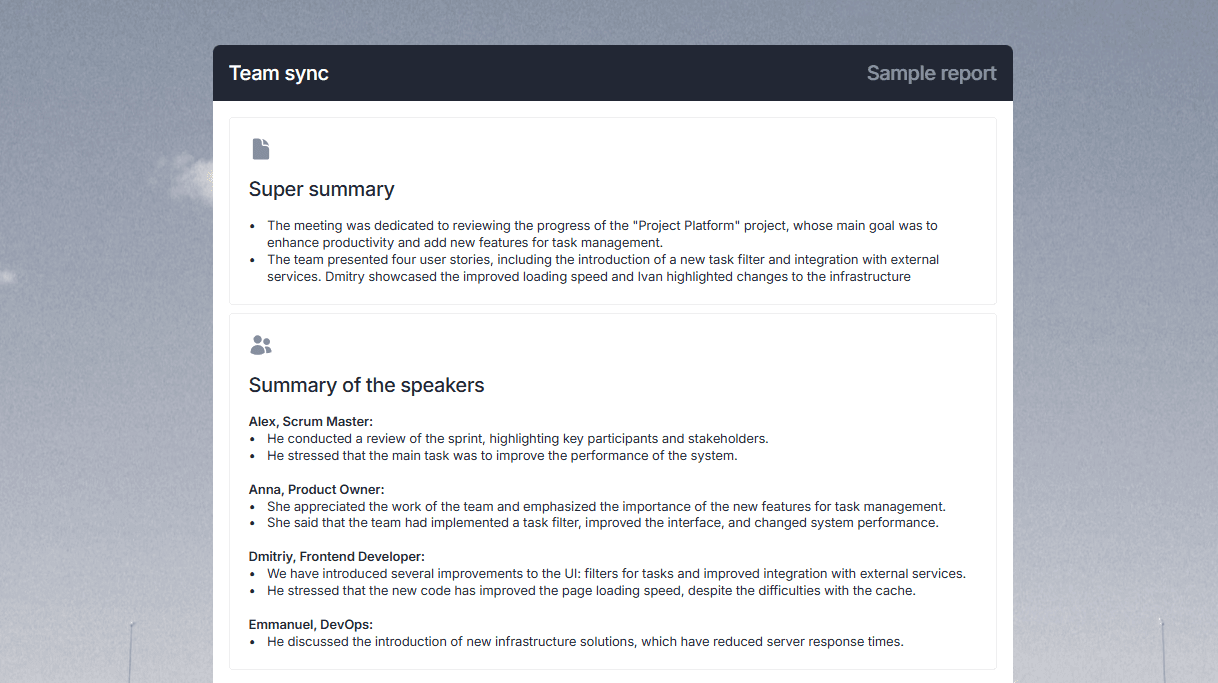
AI chat for questions about meeting content and audio transcription
Integration with Zoom, Google Meet, Teams, Yandex.Telemost, Telegram for automatic speech recognition
Bot connection to meetings for auto-recording and converting audio to text
Supports 73 languages when transcribing and converting audio to text
Filler word removal for clean audio transcription
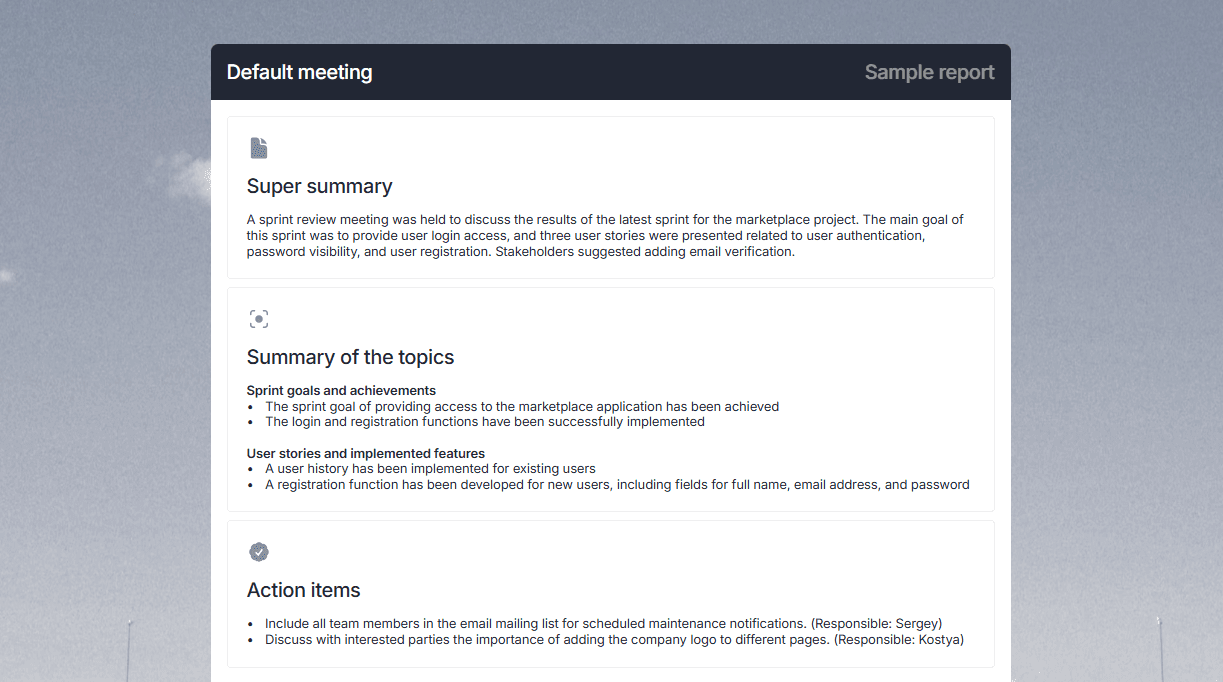
Export to DOCX, PDF, Markdown, JSON for further text work
Strengths:
Automatically creates task list indicating who's responsible for what when transcribing meetings
Built-in media player allows listening to audio or watching video while reading transcription—convenient for checking audio-to-text conversion quality
Built-in AI chat allows asking "What risks were discussed?" and immediately getting answer when analyzing audio transcription
Understands Russian business context best when converting audio to text
Works with both audio and video—extracts text from video meetings without need for conversion
Integrates with Russian platforms for automatic speech recognition
Weaknesses:
Interface requires few minutes to master when working with audio and video transcription
mymeet.ai is a choice for those needing audio transcription with smart analysis. The system highlights tasks, agreements and key moments when converting audio to text automatically. The built-in player allows listening to original audio and watching video directly in the system interface. If you need to extract text from audio or video quickly and accurately—this is the best service for converting audio to text and working with video files in Russian language.
2. Otter.ai — Live English Meeting Specialist
Otter.ai created for teams conducting meetings in Zoom or Google Meet and wanting automatic audio transcription. This is an excellent service for converting audio to text in the English language. Oriented toward English-speaking teams. Works worse with Russian when converting audio to text—accuracy 80-85%, often mistakes in special terminology when transcribing meetings.
Main service advantage for extracting text from audio—real live transcription. Text appears during meetings, everyone sees system recording and converting audio to text. At meetings with multiple speakers, the system distinguishes them well when transcribing audio. Video conferencing platform integration simple: invite bot to meeting for automatic speech recognition, everything goes automatically.
Key Features:
Real-time transcription when converting audio to text
Automatic speaker recognition and audio transcription
Integration with Zoom, Google Meet, Microsoft Teams for text extraction
Mobile apps for iOS and Android with audio-to-text conversion feature
Strengths:
On clean English speech accuracy 93-95% when transcribing audio
Real live transcription visible during meeting when converting audio to text
Well distinguishes speakers with 5-6 participants when transcribing meetings
Convenient for American and European teams when converting audio to text
Weaknesses:
Works weakly with Russian language when converting audio to text—accuracy 80-85%
No automatic task highlighting when transcribing audio and agreements
Less functionality than mymeet.ai for transcription analysis
Paid content for extended audio-to-text conversion capabilities
Otter.ai is suitable for international English teams when transcribing meetings. For Russian business and converting audio to text in Russian, there are better options.
3. Teamlogs — Russian Service with Own Neural Network for Transcription
Teamlogs developed in Russia and works well with Russian language when converting audio to text. This is a rare case when a local solution competes with Western services in audio transcription quality. Service for extracting text from audio specializes in Russian speech.
We tested Teamlogs on recordings with technical terms, fast speech and different speakers when transcribing audio. The system handled well—accuracy 95-97% for Russian when converting audio to text. One of main service advantages for meeting transcription—fast processing. One hour audio processed in 3-5 minutes. Built-in editor allows listening to audio simultaneously with editing text when working with transcription.
Key Features:
95-97% Russian speech accuracy when converting audio to text
One hour audio processing in 3-5 minutes for fast transcription
Built-in editor with simultaneous audio playback when working with text
Supports 78 languages when transcribing and converting audio to text
Strengths:
Very fast processing when converting audio to text—one of fastest platforms for transcription
Built-in editor convenient for transcription editing. Listen to needed moment when working with audio and immediately edit text
Built-in AI assistant can write meeting summary or answer question when analyzing audio transcription
Works well with Russian language and understands business vocabulary when converting audio to text
Weaknesses:
For corporate clients may be more expensive than mymeet.ai when transcribing large volumes
No built-in meeting connection for automatic audio transcription—upload files manually
Interface requires getting used to when working with audio-to-text conversion
Less functionality for meeting analysis and task highlighting
Teamlogs are good for those who value processing speed and convenient editors when transcribing audio. Excellent choice for working with audio-to-text conversion for Russian-language content.
4. Fireflies.io — Above-Level Meeting Analytics
Fireflies highlights key moments from meetings when transcribing audio. The system converts speech to text, highlights decisions, agreements, risks when working with meeting transcription. In tests we saw the system works like an analyst when converting audio to text: sees where dispute, where agreement, where decisions made.
The platform automatically connects to meetings in Zoom, Google Meet and Teams for automatic speech recognition. After meeting you get transcription and analysis: what agreements were, what risks discussed when converting audio to text, who's responsible for what. This saves hours on recording analysis and transcription work.
Key Features:
Automatic video conference connection for audio transcription
Key moment and highlight extraction when converting audio to text
Creating brief meeting summary from audio transcription
Integration with CRM and corporate systems for text work
Strengths:
System highlights key moments automatically when transcribing meetings
For sales teams there's analytics on pitch quality and objections when analyzing transcription
Integrates well with Salesforce and HubSpot for working with converted text
Understands many languages including Russian when converting audio to text
Weaknesses:
Hidden payments for additional features when transcribing audio (AI credits)
Pay separately for file upload when working with audio-to-text conversion
Basic tier limited by meeting number when transcribing
Interface can be confusing for beginners when working with audio transcription
Fireflies suitable for growing teams needing meeting analytics with key decision highlighting when converting audio to text.
5. Any2text — European Service with Simple Interface
Any2text takes audio or video, converts to text. No bells and whistles, no complexity. Upload file, get result. Suitable for those not needing complex analysis and integration features when transcribing meetings.
In tests Any2text showed acceptable results when converting audio to text. Russian language accuracy 90-92%. The system supports 50+ languages and works with all popular audio formats. There are built-in templates for creating content from transcription when working with audio-to-text conversion.
Key Features:
Supports 50+ languages when converting audio to text
Simple interface for audio transcription
Export to DOCX, XLSX, SRT, TXT when working with audio-to-text conversion
Templates for creating content from transcription
Strengths:
Very simple interface when converting audio to text. Beginner figures out in 30 seconds
Accuracy for Russian 90-92%—acceptable when transcribing audio
Supports many file formats when working with audio-to-text conversion
Templates for creating content from transcription when working with converted text
Weaknesses:
No built-in editor—download and edit in Word when working with transcription
No video conferencing integration—only file upload when converting audio to text
No meeting analysis and task highlighting when transcribing audio
Interface only in English when working with audio-to-text conversion
Any2text suitable for freelancers and content makers needing quick text from audio without extra features.
6. Descript — Video as Text
Descript works differently when converting audio to text: you edit video by changing text. Deleted word from transcription—it disappeared from video. This changes the entire approach to working with media content when extracting text from audio.
The system transcribes audio and video automatically, then you edit like a text document when converting audio to text. Deleted "uh" and "um"—they disappeared from the audio track when working with transcription. Built-in tools for removing background noise, creating subtitles, speech synthesis when converting audio to text. For podcasters and video bloggers this is a serious tool for transcription.
Key Features:
Video editing through text when converting audio to text
Automatic filler word removal when transcribing audio
Built-in screencasting and webcam recording when working with audio-to-text conversion
Speech synthesis when creating content from transcription
Strengths:
Revolutionary approach when converting audio to text. Saves hours on editing and transcription
Filler word removal works well when working with audio transcription
Built-in tools for improving sound quality when converting audio to text
Ideal for podcasters and video bloggers when transcribing meetings
Weaknesses:
Russian language accuracy lower (85-90%), many errors when converting audio to text with technical content
Recently changed pricing model when transcribing audio
Completely dependent on internet when working with audio-to-text conversion
Requires stable internet for meeting transcription
Descript ideal for content creators preparing podcasts and videos when converting audio to text.
7. Speech2text — Russian Service with Pro-Level Accuracy
Speech2text developed by specialists on their own machine learning models when converting audio to text. In tests on recordings with poor sound and fast speech showed excellent results when transcribing audio.
The system handles low-quality recordings where other services gave up when converting audio to text. On journalist interviews with technical terms and natural speech accuracy was 94-96% when transcribing. For podcasts and media content this is a good choice when working with text extraction from audio. Can upload YouTube and VK links directly for audio-to-text conversion.
Key Features:
94-96% Russian speech accuracy when converting audio to text
One hour audio processing in 10 minutes for meeting transcription
Automatic speaker search and separation when converting audio to text
Direct YouTube, VK, Dzen link upload for audio transcription
Strengths:
High accuracy even with poor sound when converting audio to text. On cafe noise recording accuracy higher than competitors
Can upload YouTube video link directly for transcription and audio-to-text conversion
Fast processing when working with audio-to-text conversion
Used by media companies (RBC, Forbes, VGTRK) when transcribing
Weaknesses:
Minimalist interface—may seem boring when working with audio-to-text conversion
No built-in editor for large edits when transcribing audio
No meeting analysis and task highlighting when converting audio to text
Less functionality for corporate use when transcribing meetings
Speech2text is a good choice for journalists, podcasters and researchers when converting audio to text.
8. Sonix — Platform for Large Volumes
Sonix was created for working with large volumes when transcribing: media companies, studios, corporate clients with dozens of meetings daily. This professional tool for teams when converting audio to text.
In tests Sonix showed stable results with 94-96% accuracy on clean recordings when transcribing audio. The system works fast even when uploading 10+ files simultaneously for audio-to-text conversion. Built-in translation to 39 languages—upload English audio, get transcription and automatic Russian translation when working with audio-to-text conversion.
Key Features:
94-96% accuracy for English when converting audio to text
Built-in translation to 39 languages when transcribing audio
Batch upload of multiple files when working with audio-to-text conversion
Built-in subtitles (SRT, VTT) when transcribing
Strengths:
Stability with large volumes when converting audio to text. Upload 50 hours daily—system doesn't slow down
Built-in translation convenient for international projects when working with transcription
Works well with multilingual content when converting audio to text
Convenient search across all transcriptions when working with audio-to-text conversion
Weaknesses:
Russian accuracy lower than local solutions when converting audio to text
Hybrid pricing can confuse when transcribing
No mobile app when working with audio-to-text conversion
No built-in meeting analysis when transcribing audio
Sonix is suitable for companies needing reliability and scalability when converting audio to text.
9. Follow-up — AI Secretary for Meetings
Follow-up is a digital secretary that runs meetings, writes minutes, highlights tasks and emails results to participants in 15 minutes when transcribing audio. Joins a meeting as a participant, records conversation and analyzes it when converting audio to text.
The system connects to Google Meet, Zoom and Telemost for automatic audio transcription. After meeting you get ready minutes with task highlighting, responsible parties, and discussing questions when converting audio to text. Minutes automatically emailed to participants in Telegram, WhatsApp or email when working with meeting transcription.
Key Features:
Automatic meeting connection for audio transcription
98% accuracy transcription when converting audio to text
Automatic task highlighting when transcribing meetings
Result distribution in Telegram, WhatsApp, Email when working with audio-to-text conversion
Strengths:
Full documentation automation when transcribing meetings
System highlights tasks and agreements automatically when converting audio to text
Result distribution in messengers where team works when transcribing
Data processed in Russia when working with audio-to-text conversion
Weaknesses:
Can be expensive for small volumes when transcribing audio
Interface can be confusing on first use when converting audio to text
Less functionality for sales or HR analysis when transcribing meetings
Requires good sound quality when working with audio-to-text conversion
Follow-up ideal for corporate teams needing full documentation automation when transcribing meetings.
10. Yandex SpeechKit — Yandex Cloud
Yandex SpeechKit is a cloud service from Yandex for speech recognition when converting audio to text. This is more API for developers than ready solution, but deserves top place thanks to Russian language transcription quality.
In tests Yandex SpeechKit showed 95-97% accuracy for Russian language when converting audio to text. The system understands technical vocabulary, various accents and handles noisy recordings when transcribing. Used by large companies (Skyeng, X5, Raiffeisenbank) when working with audio-to-text conversion, which speaks to reliability.
Key Features:
95-97% Russian speech accuracy when converting audio to text
Real-time recognition when transcribing audio
Supports 15+ languages when working with audio-to-text conversion
API for integration when transcribing meetings
Strengths:
Exceptional accuracy for Russian speech when converting audio to text
Understands technical vocabulary and various accents when transcribing
Used by large companies in Russia when working with audio-to-text conversion
Can deploy on own servers for maximum confidentiality when transcribing
Weaknesses:
This is API for developers, requires technical preparation when converting audio to text
No ready interface for ordinary user when transcribing meetings
Prices calculated by individual requests when working with audio-to-text conversion
Requires setup and integration when transcribing audio
Yandex SpeechKit suitable for large companies and developers when converting audio to text.
Service Comparison Table
Service | Russian Accuracy | Speed | Main Feature |
mymeet.ai | 96-98% | 5 min per 1 hour | Task highlighting + media player |
Otter.ai | 80-85% | Real-time | Live transcription |
Teamlogs | 95-97% | 3-5 minutes | Fast processing + editor |
Fireflies.io | 90-92% | 4-6 minutes | Meeting analysis + highlights |
Any2text | 90-92% | 5-10 minutes | Interface simplicity |
Descript | 85-90% | 3-5 minutes | Editing through text |
Speech2text | 94-96% | 10 minutes | Accuracy with poor sound |
Sonix | 90-92% | 5-15 minutes | Scalability + translation |
Follow-up | 98% | 4-5 minutes | Automatic minutes |
Yandex SpeechKit | 95-97% | 2-4 minutes | API for integration |
The table shows choice by priorities. Need best Russian accuracy -- mymeet.ai, Follow-up or Yandex SpeechKit. Need fast processing—Teamlogs. Need meeting integration—mymeet.ai or Otter.ai.
How to Choose Service for Different Tasks
For corporate meetings in Russian. One choice—mymeet.ai. The system accurately recognizes Russian speech, automatically highlights tasks and key moments when converting audio to text. Built-in media player allows listening to original audio. Saves hours on meeting analysis and transcription.
For podcasts and video blogs. Descript if need video processing and editing through text. Speech2text if just audio transcription. Both work well with media content when converting audio to text.
For large teams. Follow-up for documentation automation when transcribing. Sonix for scalability with large audio-to-text conversion volumes.
For English-speaking teams. Otter.ai for video conferencing integration when transcribing audio. For maximum accuracy when converting audio to text choose specialized solutions.
For journalists and researchers. Speech2text handles interviews and transcription well. Can upload YouTube links directly when converting audio to text.
For working with material archives. Sonix with built-in search across all transcriptions. Teamlogs with fast processing when working with large audio-to-text conversion volumes.
Final Conclusion
After testing 10 services on 150+ hours of material, conclusion clear: platform choice critically affects work efficiency when converting audio to text. Wrong decision leads to time loss on error correction when transcribing. The right one saves hours weekly on meeting transcription and audio text extraction.
For Russian companies, the clear leader remains mymeet.ai. The platform shows best quality working with Russian language when converting audio to text, offers smart meeting analysis, built-in media player and understands local business specifics. Works with both audio and video when transcribing.
Start with 180 minutes free. This is enough to understand if the system fits your team when converting audio to text.
10 Questions About Speech-to-Text Services
1. Which service best recognizes Russian speech when converting audio to text?
mymeet.ai shows 96-98% accuracy, Follow-up—98%, Speech2text—94-96%. These leaders when transcribing audio and converting audio to text for Russian language. Teamlogs are also good—95-97%. Western services like Otter.ai drop to 80-85% on Russian when converting audio to text. For Russian business choose local solutions for transcription.
2. How accurate are services with poor sound and noise when converting audio to text?
Speech2text specializes in poor sound when transcribing audio—on cafe noise recording accuracy higher than competitors when converting audio to text. Teamlogs also handle well. Otter.ai and Fireflies.io with poor sound often make mistakes when transcribing. Advice: use a good microphone when converting audio to text—saves hours on editing and transcription.
3. What integrations are needed for corporate work with audio-to-text conversion?
mymeet.ai integrates with Zoom, Google Meet, Teams, Yandex.Telemost, Telegram, amoCRM when transcribing. Most universal for audio-to-text conversion. Otter.ai works with Zoom, Google Meet, Teams when transcribing audio. Fireflies.io has Salesforce and HubSpot integrations when working with audio-to-text conversion. Choose depending on your tool stack when transcribing meetings.
4. Are cloud services safe for confidential information when transcribing audio?
All major services use encryption when converting audio to text. But for maximum confidentiality choose services with on-premise options: Teamlogs, Follow-up, Yandex SpeechKit when transcribing. Follow-up processes data in Russia (Federal Law 152 compliance) when converting audio to text. For legal documents check standard compliance before using when transcribing meetings.
5. Can text be edited after transcription when converting audio to text?
Yes, all services allow editing when transcribing. But more convenient in Descript (edit text, video changes automatically) when converting audio to text. mymeet.ai has a built-in editor with listening to needed moments when transcribing and a built-in media player. Teamlogs are also good—listen and immediately edit when converting audio to text. Any2text requires download and Word editing when transcribing meetings.
6. What is diarization and how to use it when converting audio to text?
Diarization is determining who's speaking in conversation when transcribing. All main services support this: mymeet.ai, Otter.ai, Teamlogs, Speech2text, Follow-up when converting audio to text. The system automatically separates speakers when transcribing and allows renaming them. At meetings with 5-6 participants accuracy is high when working with audio-to-text conversion.
7. How fast are files processed when converting audio to text?
Teamlogs processes one hour audio in 3-5 minutes when transcribing—fastest for audio-to-text conversion. mymeet.ai processes in 5 minutes when transcribing meetings. Speech2text in 10 minutes when converting audio to text. Otter.ai works in real-time when transcribing. Speed depends on recording quality and server when working with audio-to-text conversion.
8. What audio formats do services support when converting audio to text?
mymeet.ai supports all popular formats through upload and integrations when transcribing. Any2text works with MP3, WAV, FLAC, M4A, OGG when converting audio to text. Speech2text works with YouTube, VK, Dzen directly when transcribing. Check compatibility on specific service websites when converting audio to text.
9. Can subtitles be created for video when converting audio to text?
Yes. Speech2text, Sonix, Descript, Teamlogs create SRT files when transcribing. Can immediately be used in the video editor for YouTube when converting audio to text. Descript additionally can synchronize subtitles with video automatically when working with transcription. Saves hours on editing when working with audio-to-text conversion.
10. What if transcription quality doesn't satisfy when converting audio to text?
All services offer a free trial period when transcribing: mymeet.ai—180 minutes, Otter.ai—300 minutes monthly, Speech2text—180 minutes when converting audio to text. Use it on your material when transcribing meetings. If the result doesn't please—try another service. Quality critically depends on sound quality and recording language when working with audio-to-text conversion.
Radzivon Alkhovik






