

Technology & AI

Radzivon Alkhovik
·
Updated on
Standard Google Meet can't record meetings without a paid Workspace subscription, doesn't provide transcription, and doesn't save conversation history. After an hour-long call, all that remains is participants' memory and whatever notes someone managed to jot down.
Google Meet extensions solve these problems. A single browser add-on gives you recording, transcription, automatic notes, and even AI analysis of meeting content. We tested dozens of extensions and selected the top five for different needs: from simple recording to comprehensive meeting intelligence.
How to Choose a Google Meet Extension
Before installing a Google Meet extension, define your needs. Some people only need recording, others want Russian language transcription, and some require CRM integration. Your choice of tool depends on this.
What to consider when choosing a Google Meet extension:
Core functionality. Audio recording, video recording, transcription, AI analysis. Not all extensions do everything.
Russian language recognition quality. Most services are optimized for English. Accuracy in Russian can vary dramatically.
Recording method. The extension works locally in the browser, or a bot joins as a separate participant. This affects stability and visibility to colleagues.
Free version limits. Minutes, number of meetings, feature access. Important to understand before you start.
Data security. Where recordings are stored, who has access, whether encryption is available.
Free vs Paid Google Meet Extensions
Free versions of Google Meet extensions typically cover basic needs: limited recording minutes, transcription with caps, export in simple formats. This is enough for testing and occasional meetings.
Paid plans unlock full functionality. Unlimited minutes, high recognition accuracy, AI reports, integrations with other services, team access. For regular meeting work, a paid subscription pays for itself in the first week.
The price range is wide: from $8 to $30 per month per user. When choosing, look not only at price but at what's included. Sometimes a cheap plan with limitations ends up costing more than a full subscription.
Which Google Meet Extensions Support Russian
Many Google Meet extensions support Russian, but recognition quality varies significantly. Services showing 95%+ accuracy in English may deliver 70-80% in Russian with numerous errors in terms and names.
The best Russian results come from extensions with proprietary recognition models or those using specialized solutions for Russian. In our testing, mymeet.ai led with 98% accuracy in Russian. Tactiq and Notta showed 80-85%, others scored lower.
If you work primarily in Russian, this is the main selection criterion. Saving on the service will cost you hours of manual transcript correction.
Top 5 Best Google Meet Extensions
We tested each extension on real meetings: an hour-long team call, a candidate interview, and client negotiations. We evaluated recording quality, transcription accuracy in Russian and English, interface usability, and additional features.
1. mymeet.ai — Extension for Recording and Analyzing Google Meet Meetings
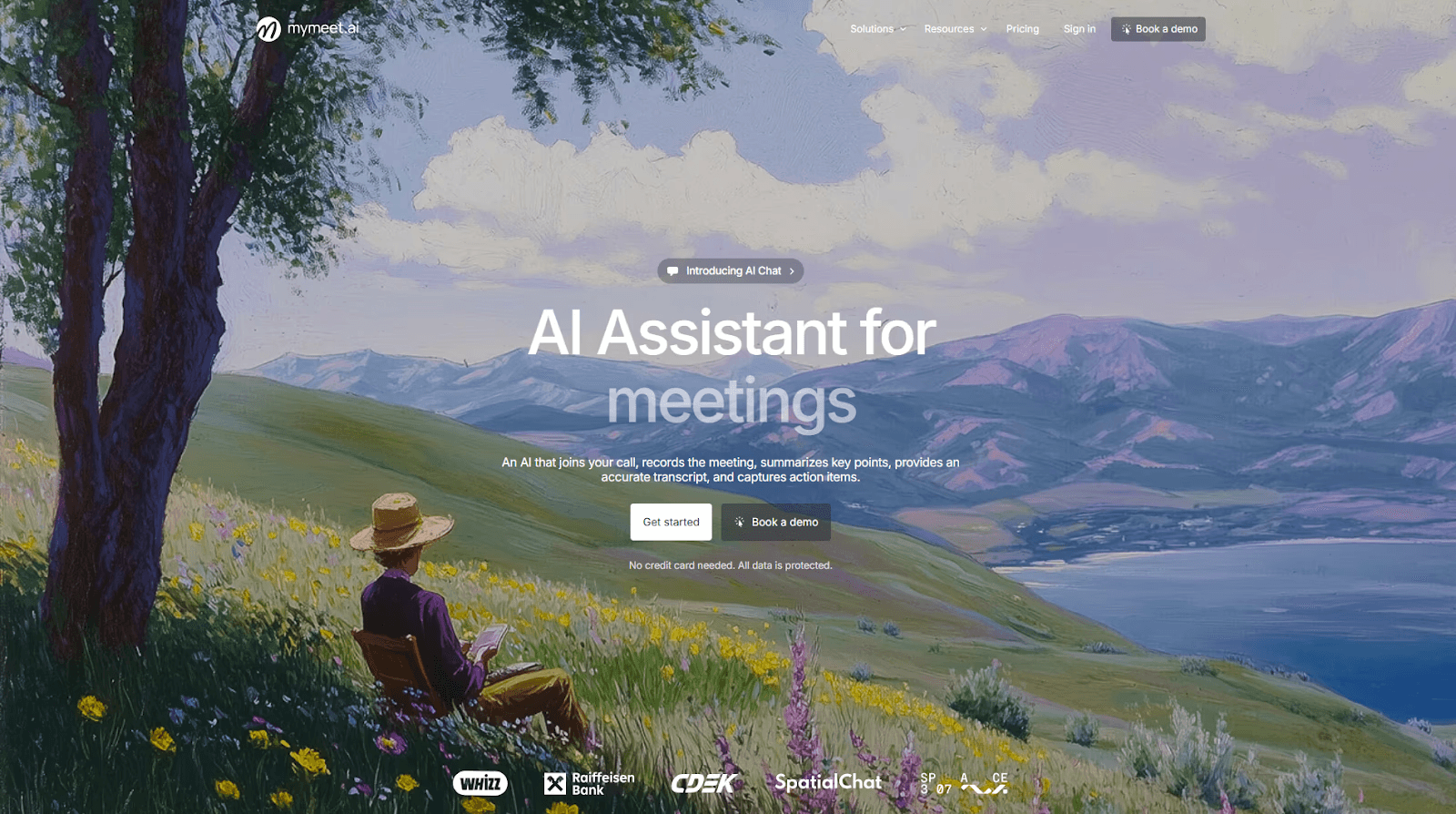
mymeet.ai is a Google Meet extension that records meetings locally in the browser and transforms them into a structured knowledge base. Unlike bots, the extension works invisibly and doesn't appear in the participant list.
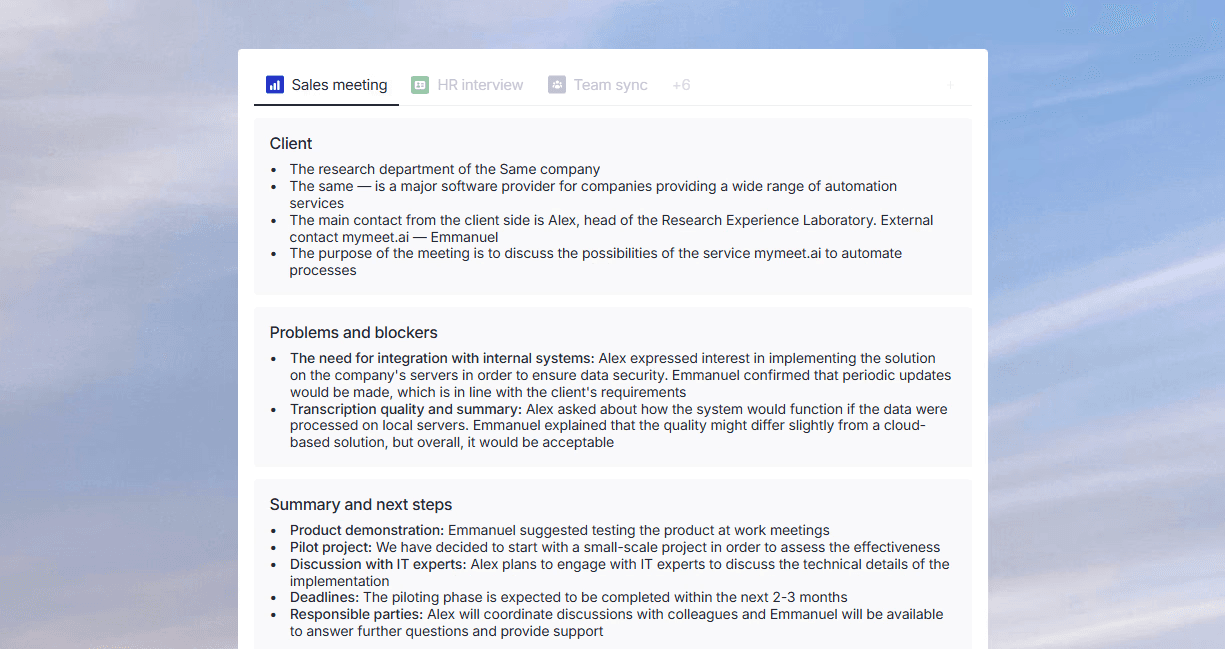
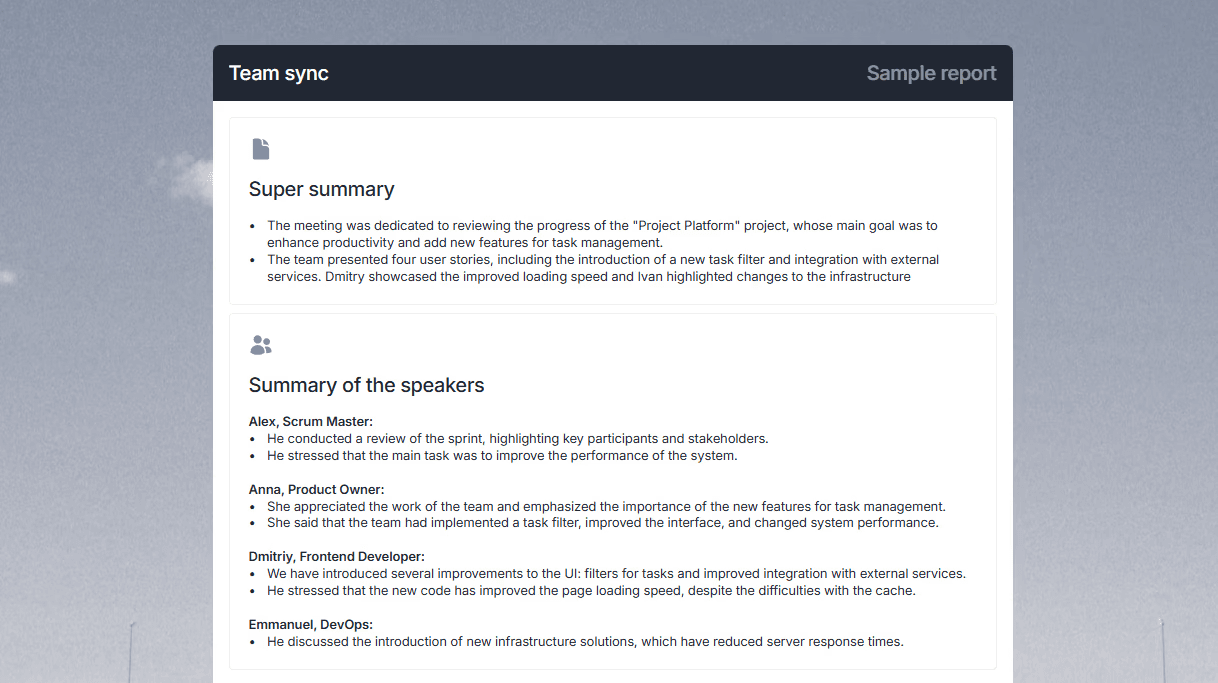
The main advantage of mymeet.ai over other Google Meet extensions is comprehensive recording processing. You don't just get audio or text — you get a complete report with key moments, tasks, and agreements. The AI chat lets you ask questions about meeting content and receive answers with quotes from the conversation.
Transcription accuracy in Russian is 98%. This is the best result among all tested Google Meet extensions. The service supports 73 languages and automatically identifies speakers in conversations.
Key features:
Hidden meeting recording without a visible bot
Transcription with 98% accuracy in Russian
Specialized AI reports for sales, HR, research
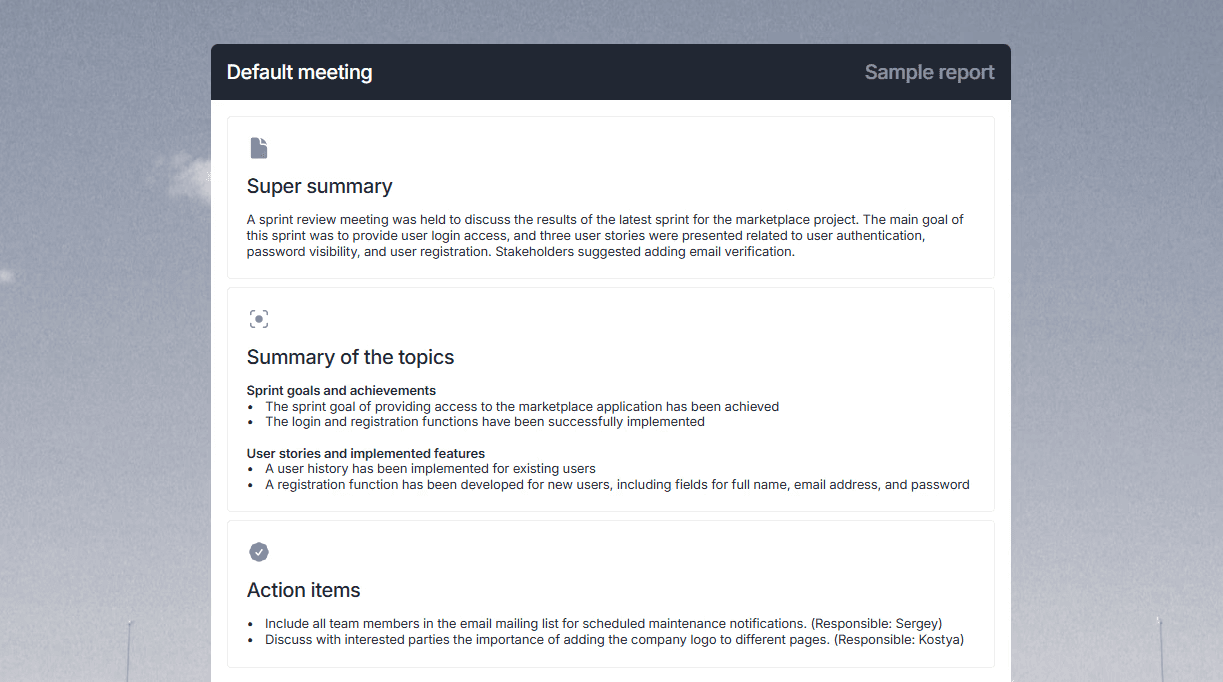
AI chat for questions about meeting content
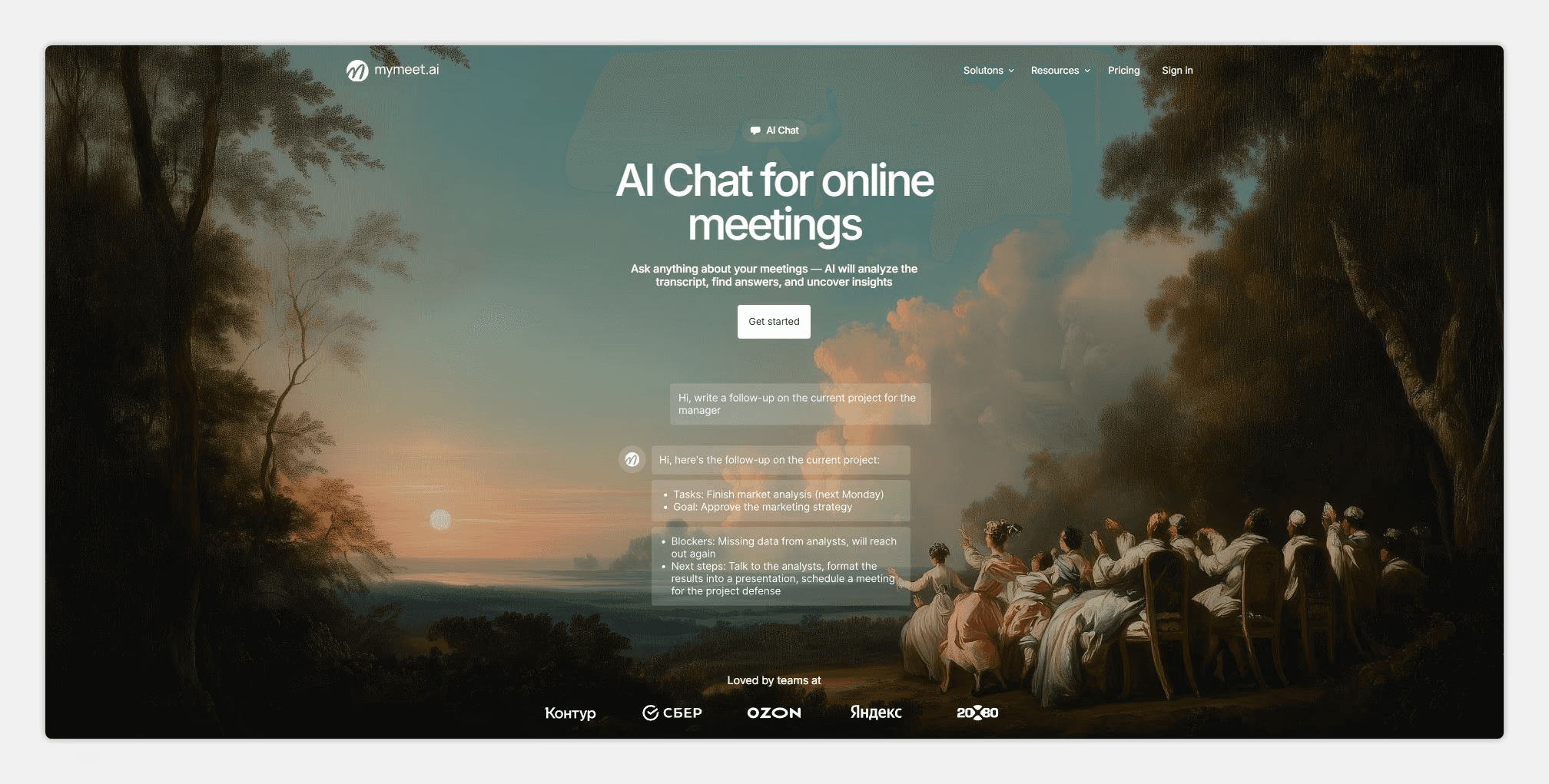
Speaker separation
Export to DOCX, PDF, Markdown, JSON, SRT
Support for 73 languages for transcription
Strengths:
Best Russian language recognition accuracy
Extension works locally, 100% recording stability
Hidden recording doesn't affect meeting atmosphere
AI analysis saves time on processing recordings
180 minutes free for testing
Unlimited minutes on Pro and Ultra plans
Weaknesses:
Works only with Google Meet; other platforms require bots
Requires mymeet.ai account authorization
Best for: Teams that need quality Russian transcription and automatic meeting analysis. Especially useful for sales, HR, research, and any negotiations where details matter.
2. Tactiq — Real-Time Google Meet Transcription Extension
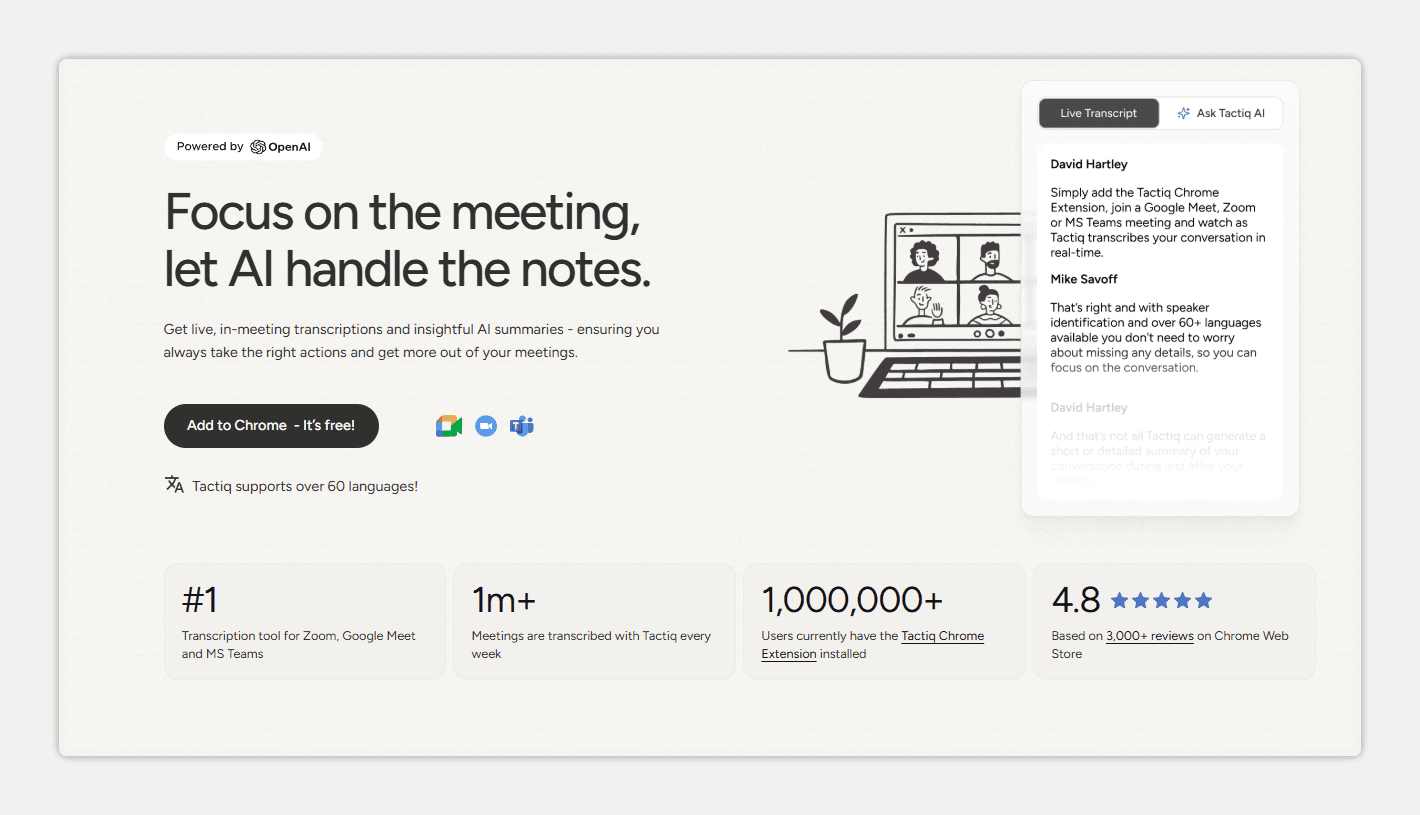
Tactiq is a Google Meet extension that displays transcription during the conversation. Text appears in a side panel where you can immediately highlight important moments and add notes.
The extension works through Google Meet integration and doesn't require bot installation. Transcription happens in real time, which is convenient for taking notes during meetings.
Key features:
Real-time transcription during meetings
One-click highlighting of key moments
Export to Google Docs, Notion, Slack
Strengths:
Transcription visible during conversation
Simple interface without unnecessary features
Free plan for 5 meetings per month
Weaknesses:
Russian language accuracy around 80%
No audio recording, only text
Limited analysis capabilities
Meeting limit in free version
Best for: Those who need real-time transcription for note-taking in English.
3. Fireflies.ai — Automatic Notes Extension for Google Meet
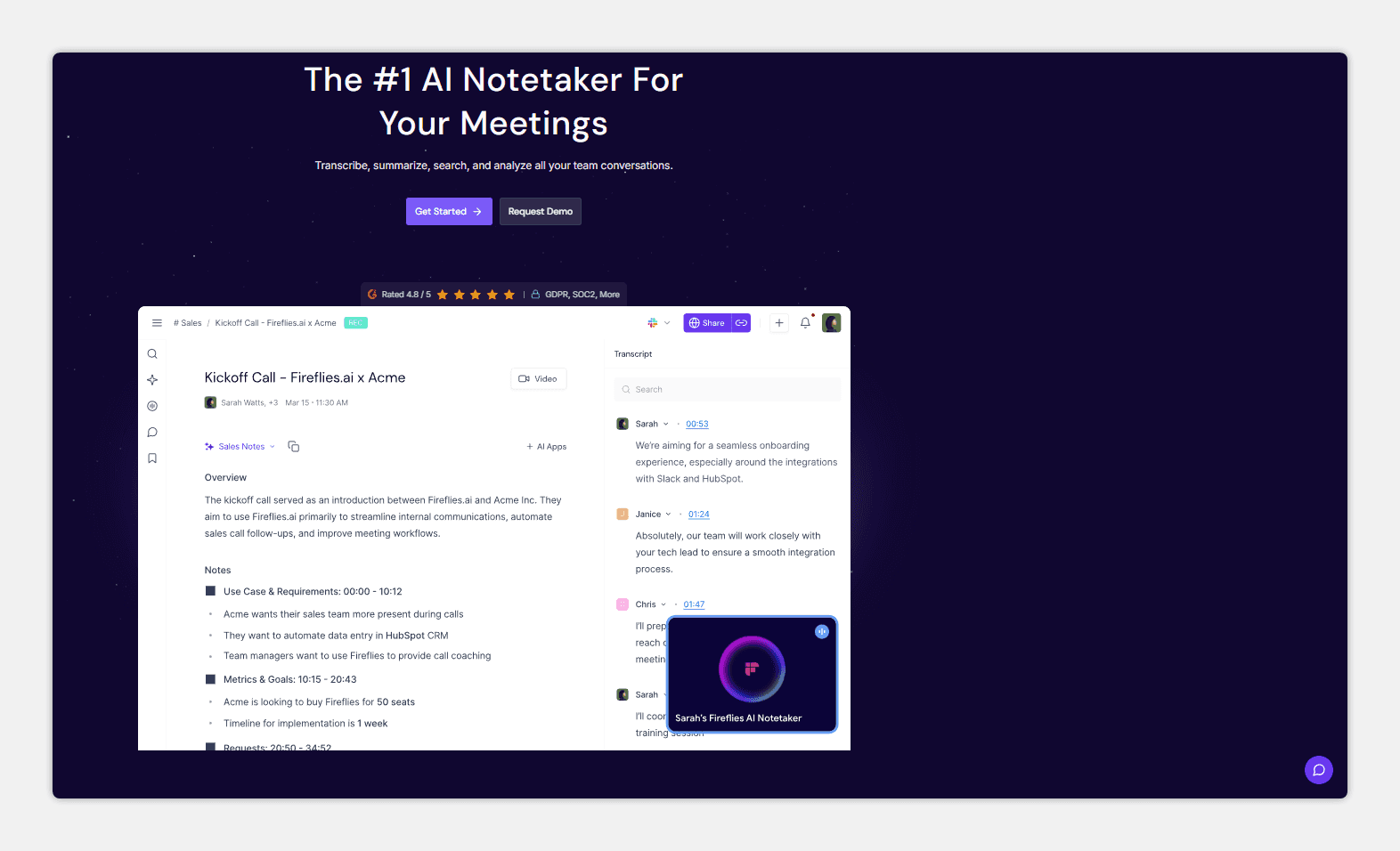
Fireflies.ai is a meeting recording and analysis service that works through a bot. The bot joins Google Meet as a participant, records the conversation, and creates automatic notes with key moments.
The browser extension serves as a control panel: start recording, view transcripts, search across your meeting database. Main processing happens on Fireflies servers.
Key features:
Bot recording with automatic joining
AI notes highlighting key moments
Integrations with Salesforce, HubSpot, Slack
Strengths:
Works with Google Meet, Zoom, Teams, and other platforms
Good CRM integrations
Search across all recorded meetings
Weaknesses:
Bot is visible to all meeting participants
Russian accuracy around 75-80%
Depends on internet connection quality
High price on paid plans
Best for: Sales teams needing meeting recording integration with CRM, and those working across multiple video conferencing platforms.
4. Google Meet Enhancement Suite — Interface Improvement Extension
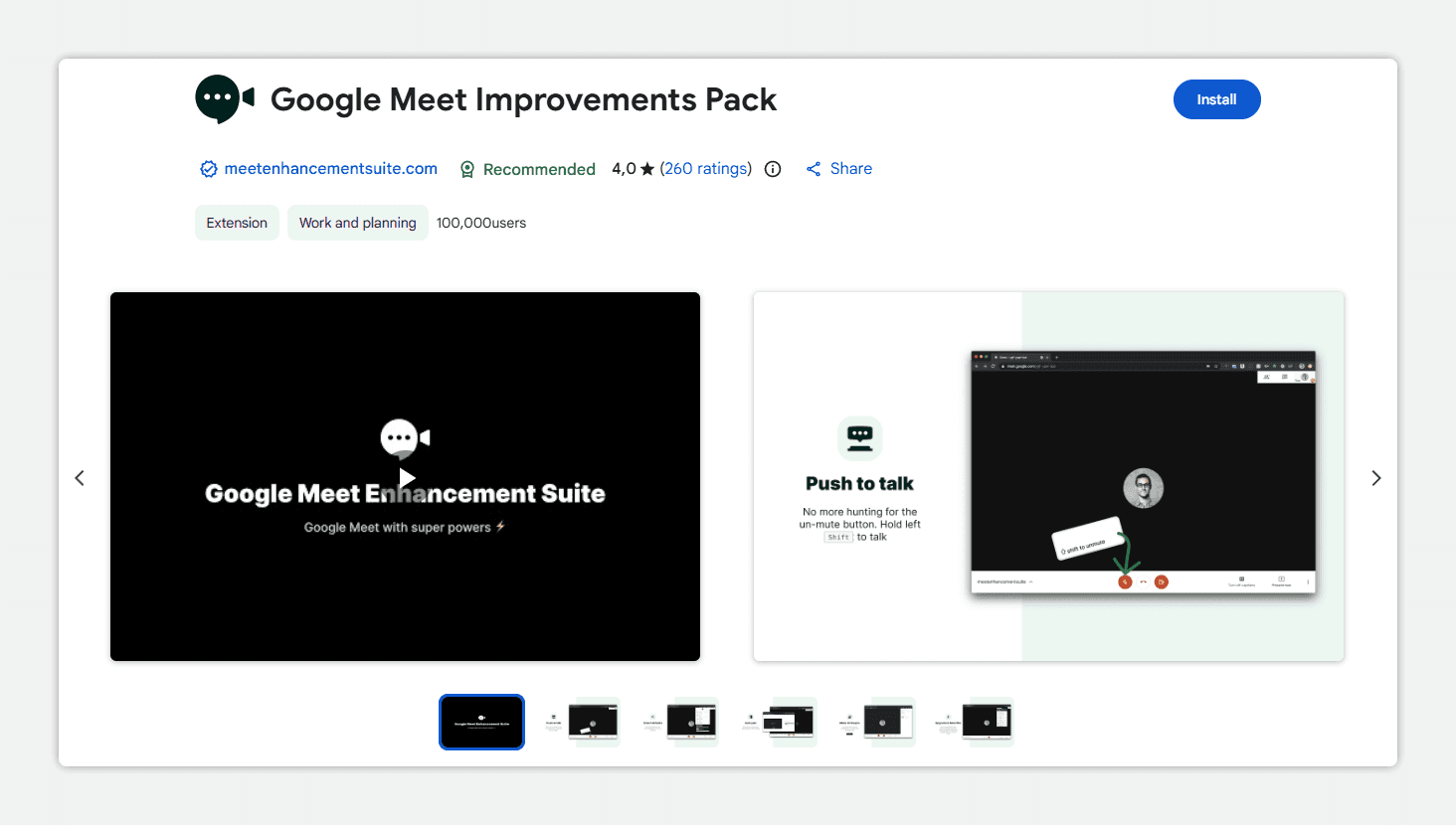
Google Meet Enhancement Suite is an extension that adds features missing from standard Google Meet. This isn't about recording or transcription — it's about making the service more convenient to use.
The extension solves small but annoying problems: automatic microphone muting on entry, quick hotkeys, improved participant display.
Key features:
Auto-mute microphone and camera on entry
Push-to-talk mode (microphone on only when pressed)
Improved participant grid
Strengths:
Free extension without limitations
Solves real Google Meet interface problems
Doesn't collect meeting data
Weaknesses:
No recording or transcription
Interface improvements only
Limited functionality
Best for: All Google Meet users who want easier microphone and camera control. Works well paired with other recording extensions.
5. Notta — Translation and Transcription Extension for Google Meet
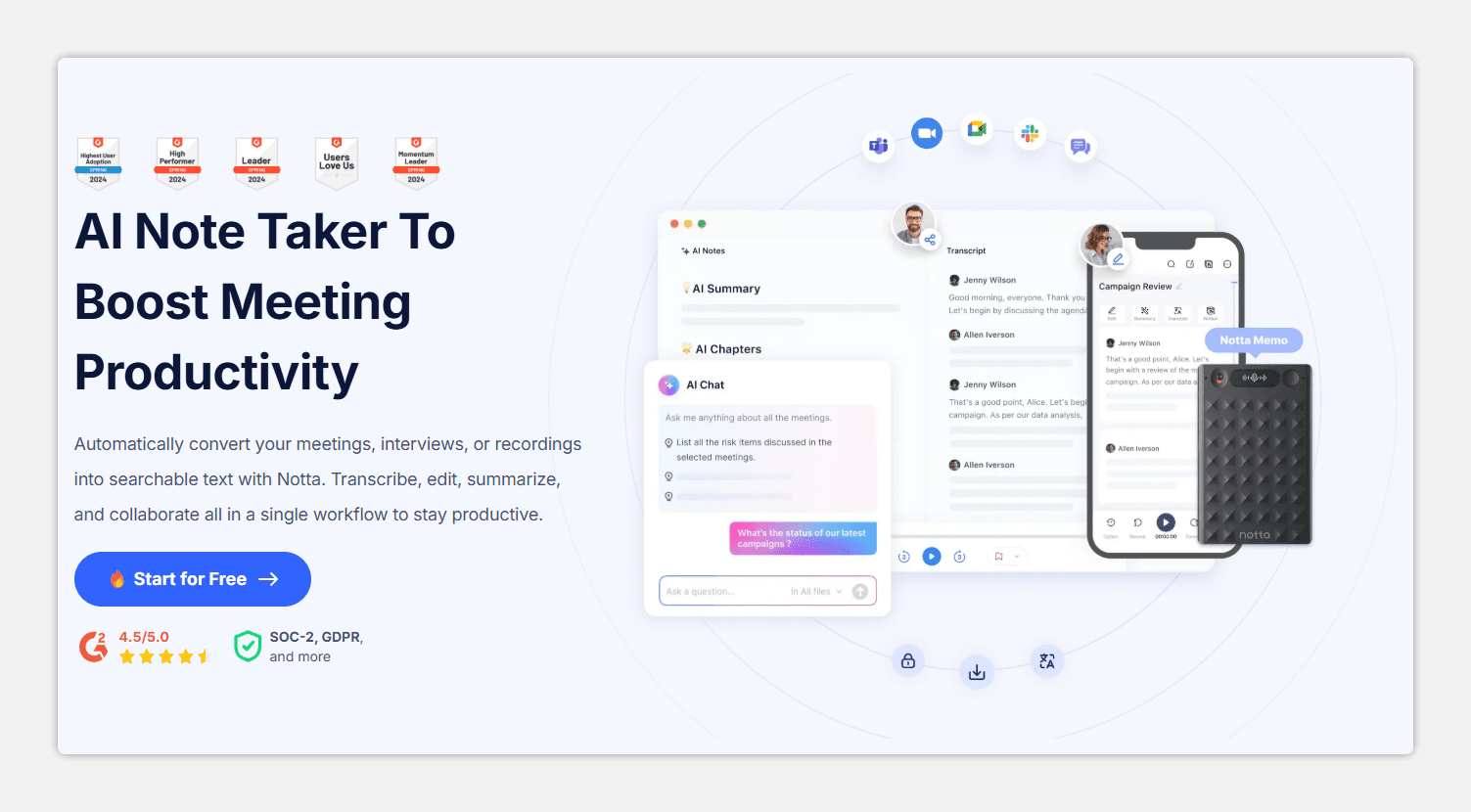
Notta is a Google Meet extension focused on multilingual support. The service transcribes speech and translates to other languages in real time. Useful for international teams with participants from different countries.
The extension works locally in the browser and doesn't require a bot connection. Transcription and translation appear in a separate window next to the video call.
Key features:
Transcription in 58 languages
Real-time translation between languages
Export to TXT, DOCX, SRT
Strengths:
Real-time translation for international meetings
Support for many languages
Works locally without a bot
Weaknesses:
Russian accuracy around 80-85%
No AI content analysis
Limited minutes in free version
Translation sometimes loses context
Best for: International teams needing real-time translation between languages during meetings.
Google Meet Extensions Comparison
We compiled key characteristics of all extensions into one table. This helps quickly compare functionality and choose the right tool for your needs. Accuracy data was obtained from test recordings with Russian speech.
Extension | Recording | Transcription | Accuracy (Russian) | Hidden Recording | Free Plan |
mymeet.ai | Yes | Yes | 98% | Yes | 180 minutes |
Tactiq | No | Yes | 80% | Yes | 5 meetings/month |
Fireflies.ai | Yes (bot) | Yes | 75-80% | No | 800 min storage |
Enhancement Suite | No | No | — | — | Completely free |
Notta | Yes | Yes | 80-85% | Yes | 120 minutes/month |
For Russian language work, mymeet.ai leads by a wide margin. If your primary meeting language is English, the difference between services is less noticeable.
How to Install a Google Meet Extension
Installing any Google Meet extension takes a couple of minutes. The process is the same for all Chromium-based browsers: Chrome, Edge, Opera, Yandex Browser.
Step 1. Open Chrome Web Store or your browser's extension store.
Step 2. Enter the extension name in search. For example, "mymeet.ai" or "Tactiq."
Step 3. Click "Install" and confirm permissions. Recording extensions request microphone access.
Step 4. After installation, the extension icon appears to the right of the address bar.
Step 5. Click the icon and sign in to the service. New mymeet.ai users get 180 free minutes.
Step 6. Go to Google Meet and start a meeting. The extension will be available to start recording.
After initial setup, the Google Meet extension works automatically. Just press the record button at the start of a meeting.
Conclusion
Google Meet extensions transform ordinary video calls into a source of structured information. Instead of hasty notes and trying to remember what was agreed, you get a complete transcript, key moments, and tasks.
Extension choice depends on your needs. For quality Russian recording and transcription, the best option is mymeet.ai with 98% accuracy and AI content analysis. For Google Meet interface improvements, the free Enhancement Suite works well. For international teams with real-time translation — Notta.
All extensions in this review can be tested for free. mymeet.ai gives 180 minutes without requiring a credit card — enough for 3-4 full meetings to evaluate transcription quality and AI report usefulness.
FAQ: Questions About Google Meet Extensions
We compiled answers to common questions about Google Meet extensions. If you don't find an answer to your question, leave a comment.
Which Google Meet extension is best for recording meetings?
For recording Google Meet meetings, mymeet.ai works best. The extension records audio locally in the browser, guaranteeing 100% stability. After the meeting, you get a transcript with 98% accuracy in Russian and AI content analysis.
How do I install a Google Meet extension in Chrome?
Open Chrome Web Store, find the Google Meet extension by name, click "Install." After installation, sign in to the service through the extension icon. The whole process takes 2-3 minutes.
Do Google Meet extensions work in other browsers?
Yes, Google Meet extensions work in all Chromium-based browsers: Microsoft Edge, Opera, Yandex Browser, Brave. Installation happens through Chrome Web Store or the browser's built-in store.
Which Google Meet extension best supports Russian?
The best Russian support among Google Meet extensions comes from mymeet.ai with 98% transcription accuracy. Other services (Tactiq, Notta, Fireflies) deliver 75-85% accuracy in Russian, requiring significant manual correction.
Can you record Google Meet secretly through an extension?
Yes, the mymeet.ai, Tactiq, and Notta extensions work locally in the browser and aren't visible to other participants. The extension doesn't add a bot to the meeting participant list. Fireflies.ai uses a bot that's visible to everyone.
What free Google Meet extensions exist?
Free Google Meet extensions: Google Meet Enhancement Suite (completely free, interface improvements), mymeet.ai (180 minutes free), Tactiq (5 meetings per month), Notta (120 minutes per month). There are no completely free services with recording and transcription without limits.
How is a Google Meet extension different from a bot?
A Google Meet extension works locally in your browser and records audio directly. A bot joins the meeting as a separate participant and is visible to everyone. Extensions are more stable and invisible; bots work with different platforms (Zoom, Teams).
Which Google Meet extension is best for transcription?
For Google Meet transcription in Russian, the best choice is mymeet.ai (98% accuracy). For English, Tactiq and Fireflies.ai work well. If you need real-time translation, Notta is suitable.
Are Google Meet extensions safe?
Google Meet extensions from reputable companies are safe. Check the number of installations, reviews, and privacy policy. mymeet.ai uses TLS 1.2+ encryption for transmission and AES-256 for data storage.
Which Google Meet extension should I choose for a team?
For team use with Google Meet extensions, mymeet.ai is suitable: unified dashboard, shared access to recordings, unlimited minutes on Pro and Ultra plans. Fireflies.ai is good for sales teams thanks to CRM integrations.
Radzivon Alkhovik






