

Technology & AI

Radzivon Alkhovik
·
Updated on

Manual audio transcription is a real headache. It takes around 4-6 hours of typing to transcribe just one hour of audio, and professional transcription services typically start from about 1000 rubles per hour. Neural network-powered audio-to-text transcription radically solves this issue, performing tasks in minutes instead of hours.
I've tested over 30 services using real recordings—interviews, lectures, podcasts, and business negotiations. This article compiles the 10 best audio transcription tools that handle both Russian and English speech, provide high accuracy, and require no technical expertise. We'll explore their capabilities, pricing, and specific applications for various tasks.
How Automatic Audio Transcription Works
Audio-to-text transcription with neural networks uses ASR (Automatic Speech Recognition) technology. The process includes several stages:
Audio preprocessing – noise removal and volume normalization
Conversion to a spectrogram – visual representation of sound waves
Neural network analysis – phoneme and word recognition
Language modeling – determining correct words in context
Post-processing – punctuation and paragraph division
Modern neural networks utilize deep learning and transformer architectures, achieving recognition accuracy of 95-99%, even in noisy environments or with accented speech.
TOP-10 Audio-to-Text Transcription Services
1. mymeet.ai – Best AI Assistant for Audio Transcription
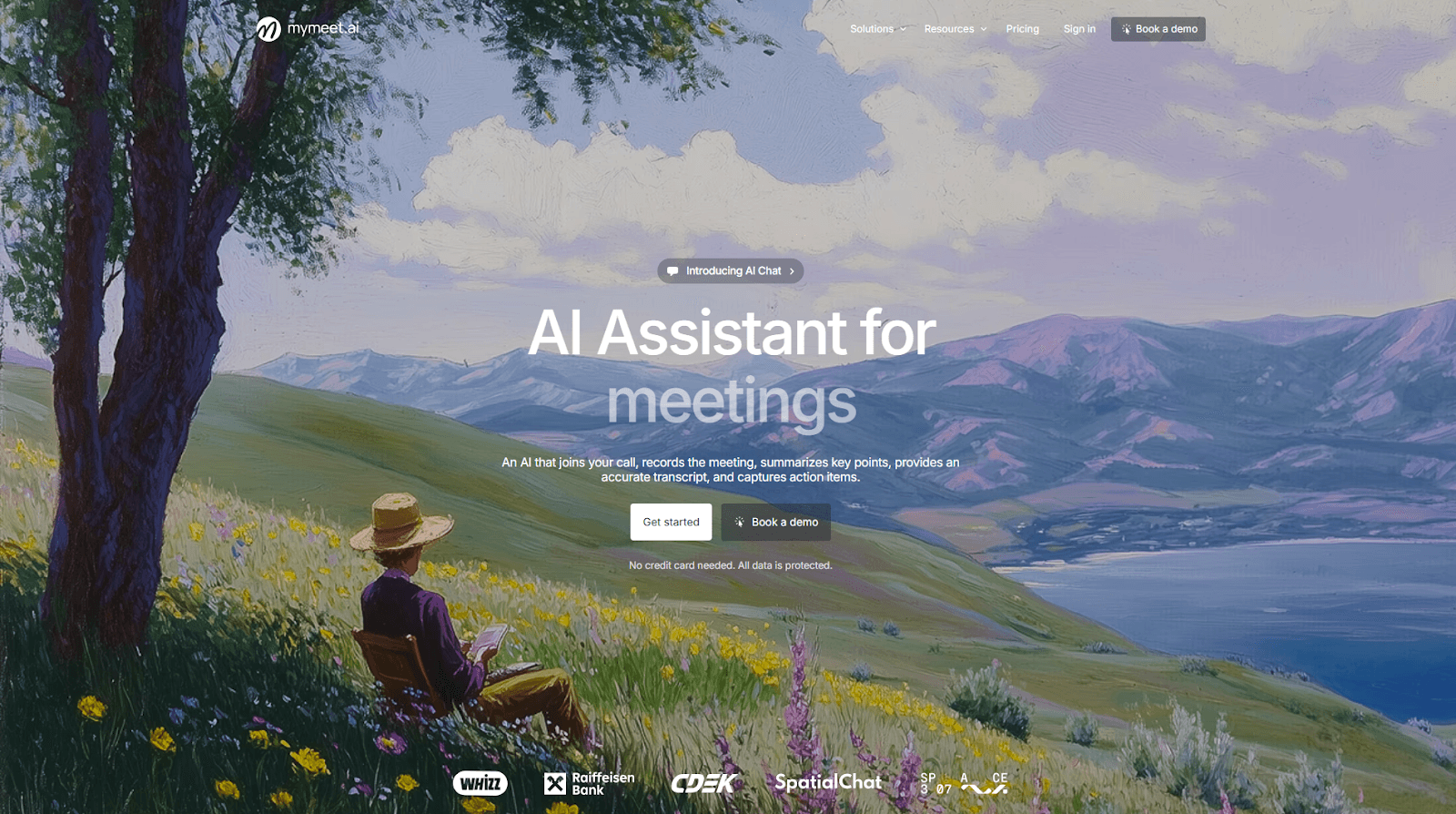
Website: mymeet.ai
Cost: 180 free minutes, subsequent plans available
Languages: 73 languages, including Russian and English
mymeet.ai goes far beyond a simple transcription tool. It’s a comprehensive AI assistant tailored for business meetings. The service boasts record-high accuracy and a unique set of analytical features.
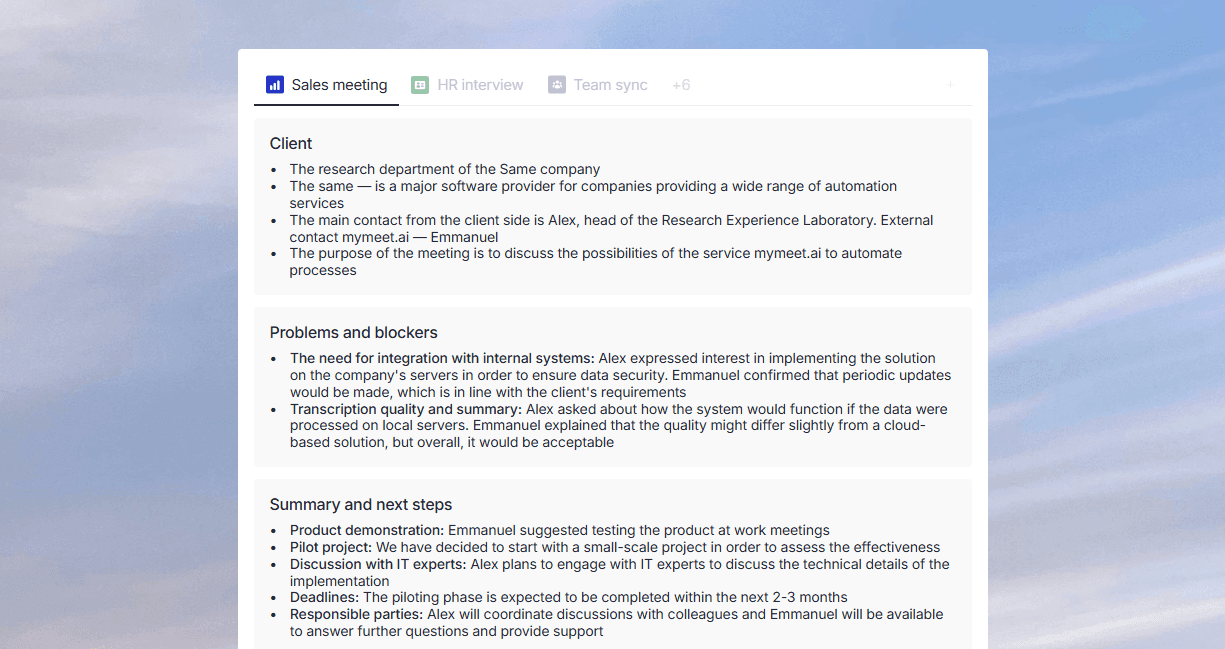
Key features:
Automatic integration with video conferencing platforms (Zoom, Google Meet, Yandex.Telemost)
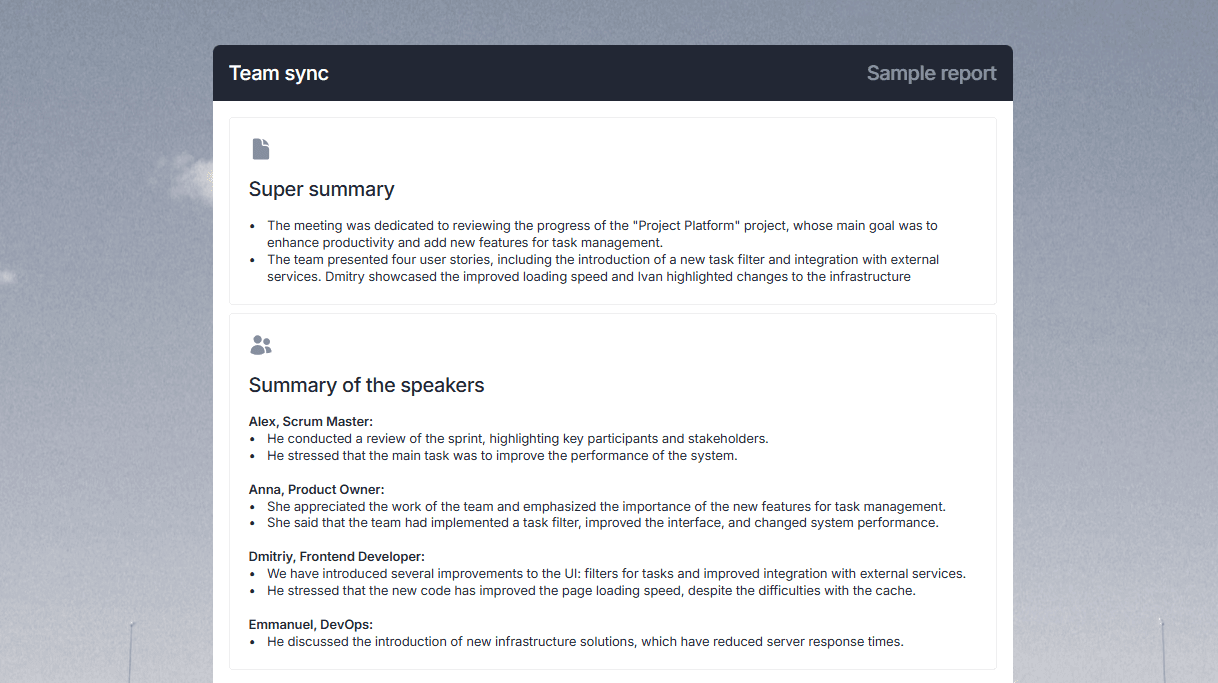
High-precision audio and video transcription with speaker differentiation
AI-generated reports summarizing key points
Task identification and assignment
Interactive AI chat for questions about the transcript
Removal of filler words
Transcribes one hour of audio in just 5 minutes
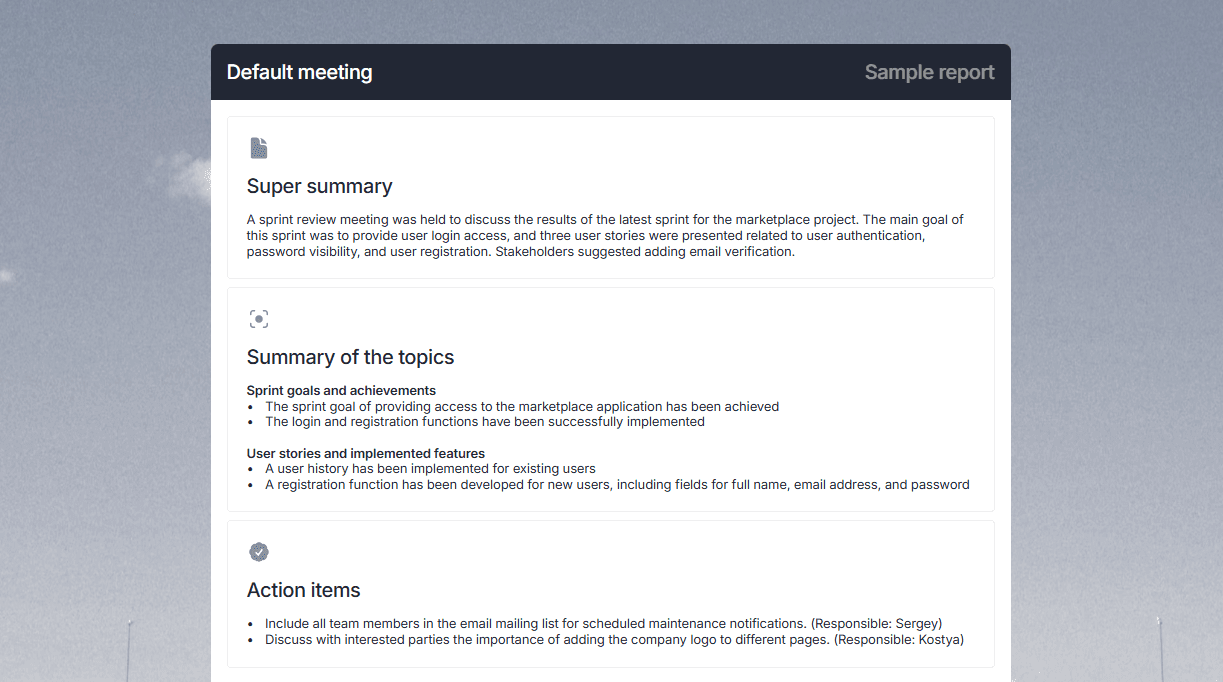
Integration with Telegram and calendars
mymeet.ai is ideal for business meetings, sales calls, interviews, and team discussions, where accurate capture of agreements and tasks is essential.
2. Whisper by OpenAI
Cost: Free for basic models
Languages: Multilingual, including Russian and English
Whisper is a powerful open-source neural network from OpenAI, renowned for high accuracy and local processing capability, ensuring data confidentiality.
Key features:
Automatic language detection
Punctuation placement
Support for numerous audio formats
Local offline operation
Multiple model sizes for various tasks
Whisper is widely used as a foundation by other services enhancing its functionality or interface.
3. Otter.AI

Cost: 300 free minutes per month
Languages: Primarily English
Otter.AI specializes in transcribing business meetings and conferences, offering accurate English speech recognition and advanced transcript management features.
Key features:
Direct Zoom and Google Meet integration
Automatic speaker separation
Notes creation and key moment highlights
Transcript search
Collaboration features
Otter.AI is perfect for English-speaking users with frequent online meetings.
4. Rev.ai

Cost: On request, trial available
Languages: Over 35 languages, including Russian and English
Rev.ai is a professional transcription service known for high accuracy across multiple languages and accents, offering an API for developers.
Key features:
Up to 99% accuracy
Speaker tagging
Timestamp placement
Complex terminology support
Integration with YouTube, Zoom, Adobe Premiere Pro
Rev.ai is ideal for professional use, especially in media and subtitle creation.
5. Any to Text

Cost: 15 free minutes, from 320 rubles per 100 minutes
Languages: Over 50 languages, including Russian and English
Any to Text is a straightforward service supporting multiple file formats with high transcription accuracy.
Key features:
Over 100 supported audio/video formats
No file length limits
Fast processing
Export options (docx, txt, xlsx, srt)
User-friendly interface
Excellent for long recordings and varied file formats.
6. Speech2Text

Cost: 180 free minutes at registration, from 450 rubles/month
Languages: Over 20 languages, including Russian and English
Speech2Text provides comprehensive audio and video transcription, ensuring high accuracy even with low-quality audio.
Key features:
High recognition accuracy
Dictaphone recording transcription
Speaker separation
Subtitle creation
Online editing
Useful for journalists, students, and diverse audio tasks.
7. Riverside

Cost: Up to 2 hours free
Languages: Over 100 languages
Initially developed for podcasts, Riverside provides high-quality multilingual transcription.
Key features:
Simple uploading and processing
High transcription accuracy
Punctuation
Multiple formats
Content creation integration
Particularly beneficial for podcast and video creators.
8. Teamlogs

Cost: From 6 rubles/minute, trial available
Languages: Russian, English, and others
Teamlogs offers comprehensive transcription solutions with additional analytical and editing features.
Key features:
Easy-to-use transcript editor
AI text analysis
Multi-format support
Export in docx, xlsx, srt
Key moment highlights
Great for teamwork and business analysis.
9. TranscribeMe

Cost: On request, trial available
Languages: Over 30 languages, including Russian and English
TranscribeMe is a professional-grade service adaptable to specific user requirements.
Key features:
High accuracy
Slang and terminology adaptation
Customizable output formats
Dialect support
Mobile apps
Ideal for businesses and researchers.
10. Pisets

Cost: 10 free minutes, from 1290 rubles for 5 hours
Languages: Russian, English
Pisets is a domestic service providing accurate Russian transcription with convenient tools.
Key features:
Up to five speakers
Punctuation and timestamps
Various formats
Simple interface
Fast processing
Great for Russian-speaking users prioritizing local speech accuracy.
Comparative Table of All Services for Audio to Text Transcription
Service | Free Limit | Language Support | Speaker Division | Additional Features | Processing Speed | Integrations |
mymeet.ai | 180 minutes | 73 languages | Yes, with names | AI reports, task highlighting, AI chat, removal of fillers | 5 minutes per hour | Zoom, Google Meet, Yandex.Teleconference, Telegram |
Whisper | Fully free | Multilingual | No | Local use | Depends on the device | Limited |
Otter.AI | 300 minutes/month | English | Yes | Collaboration | ~15 minutes per hour | Zoom, Google Meet |
Rev.ai | On request | 35+ languages | Yes | Timestamps | ~15 minutes per hour | YouTube, Adobe |
Any to Text | 15 minutes | 50+ languages | No | 100+ file formats | ~20 minutes per hour | None |
Speech2Text | 180 minutes | 20+ languages | Yes | Subtitle creation | ~15 minutes per hour | Limited |
Riverside | 2 hours | 100+ languages | No | Podcast recording | ~20 minutes per hour | Podcast tools |
Teamlogs | Trial period | Multilingual | Yes | AI analytics | ~15 minutes per hour | Limited |
TranscribeMe | On request | 30+ languages | Yes | Adaptation to terminology | ~25 minutes per hour | Limited |
Pisets | 10 minutes | Russian, English | Yes (up to 5) | Timestamps | ~20 minutes per hour | None |
Practical Tips for Enhancing Audio to Text Transcription Quality
To achieve the most accurate results when transcribing audio, consider the following advice:
Use high-quality recordings—the cleaner the sound, the more accurate the transcription. Aim to use good microphones and record in quiet spaces.
Pre-process the audio—if your recording contains noise, utilize noise suppression software like Audacity or Adobe Audition.
Speak clearly—if you are the one making the recording, strive to speak in a measured tone and articulate words clearly.
Break up long recordings—some services perform better with medium-duration files (15-30 minutes).
Choose the right format—MP3 and WAV formats with a bitrate of at least 128 kbps often yield the best results.
Use Cases for Audio Transcription Across Various Sectors
Business and Sales: Utilize mymeet.ai for transcribing client negotiations, which allows you to:
Document all agreements.
Analyze successful and unsuccessful negotiations.
Train new employees using real-life examples.
Build a knowledge base for handling objections.
Journalism and Content Creation
Use Rev.ai or Riverside for quickly converting audio from interviews into text, which helps:
Obtain a textual version of the conversation for quoting.
Save time on re-listening to recordings.
Create subtitles for videos.
Enhance SEO with transcripts.
Education and Research
Speech2Text or TranscribeMe are beneficial for:
Transcribing lectures and seminars.
Creating textual versions of research interviews.
Processing focus groups.
Converting audiobooks into text.
Personal Use
Pisets or Any to Text are suitable for:
Transcribing voice notes.
Converting podcasts into text for reading.
Creating summaries of audiobooks.
Preserving important audio messages.
Using mymeet.ai for Transcription: A Detailed Guide
To utilize mymeet.ai, one of the most functional services for converting audio into text, follow these steps:
Registration and Login: Visit the mymeet.ai website, register using your email or through Google/Telegram, and receive 180 free minutes for testing.
Adding Audio or Video: Upload your audio or video file, invite the bot to a meeting on Zoom/Google Meet, or connect your calendar for automatic recording of all meetings.
File Processing: The system automatically cleans up noise and transcribes the content, separating speakers and creating smart chapters for easy navigation.
Working with Results: Obtain the full transcript of the meeting, use the AI chat for content-related queries, review the list of assigned tasks, and receive an AI-generated summary report.
Export and Usage: Edit the transcript if necessary, download it in the required format (DOCX, PDF, MD, JSON), and share the results with your team.
mymeet.ai is particularly useful for business meetings thanks to its automatic task highlighting and the ability to query the content of transcribed audio recordings.
The Future of Audio Transcription Technologies
Audio transcription technologies continue to evolve, showcasing trends such as:
Increased accuracy with new models achieving near-human performance even in noisy conditions with accents and interruptions.
Emotional recognition where neural networks start to detect not just words but also the emotional tone of speech.
Multimodal models that integrate audio, video, and text for a more comprehensive analysis of interactions.
Integration with workflow processes including automatic task creation and updates to CRM and other systems based on transcripts.
Real-time transcription as more services offer transcription at the moment of conversation.
Conclusion
Audio transcription technologies have dramatically transformed how voice recordings are handled, turning days-long tasks into minutes without losing quality. mymeet.ai remains a market leader due to its exceptional Russian speech recognition and additional analytics, making it ideal for business applications where it's crucial to not only obtain text but also extract key information. For basic tasks, free options like Whisper or trial minutes in Any to Text suffice, while Otter.AI and Riverside are recommended for English content. Starting with the free minutes offered by most services can help assess the quality on your specific recordings and find the best regular solution.
FAQ
Can audio be transcribed into text for free?
Yes. Whisper by OpenAI is entirely free. Almost all paid services offer some free minutes, such as mymeet.ai (180 minutes), Otter.AI (300 minutes), and Riverside (2 hours), which is sufficient for testing or handling a few small projects.
How do you choose the best service for audio to text transcription?
Choose based on the language of the recording, your budget, and the specific tasks you need handled. For Russian, mymeet.ai and Pisets perform best. For English, consider Otter.AI and Rev.ai. For business meetings, mymeet.ai is ideal due to its additional analytics. For podcasts, Riverside is a good choice.
How long does it take to transcribe audio into text?
Modern services can convert audio to text up to ten times faster than real-time. For example, mymeet.ai can process an hour-long recording in about 5 minutes, while other services typically take between 15 to 25 minutes.
Which service best recognizes Russian speech?
According to my tests, mymeet.ai and Pisets offer the best transcription of Russian speech. They handle complex terms effectively, recognize different speakers, and adapt well to accents.
Which audio transcription service is the cheapest?
Excluding free options, the most affordable services are Any to Text (starting at 320 RUB for 100 minutes) and Teamlogs (from 6 RUB per minute). For large volumes of work, subscriptions are more cost-effective: Speech2Text starts at 450 RUB per month, and mymeet.ai offers bulk-rate plans.
Can neural networks distinguish between different speakers in audio transcription?
Yes, most modern services can differentiate between speakers. mymeet.ai, Otter.AI, and Pisets (up to 5 speakers) are particularly good at this. Additionally, mymeet.ai allows for renaming speakers for convenience.
What audio format is best for text recognition?
MP3 and WAV formats with a bitrate of 128-256 kbps generally provide the best results. Most services also support M4A, FLAC, and other popular formats. Any to Text works with over 100 file formats.
How can the quality of audio transcription be improved?
Use a good microphone, record in a quiet environment, speak clearly, and do not talk over each other. Before submitting for transcription, remove any noise with tools like Audacity or another editor.
Which services integrate with Zoom for automatic transcription?
mymeet.ai, Otter.AI, and Rev.ai offer direct integration with Zoom. The mymeet.ai bot joins the call as a participant and automatically records and transcribes the conversation, highlighting tasks and key points.
Is it possible to transcribe audio recordings with accents or dialects?
Modern neural networks manage most accents well, but accuracy may decrease. Rev.ai and TranscribeMe show the best results with non-standard speech due to their adaptive algorithms and the ability to customize settings for specific accents.
Radzivon Alkhovik






